
Bluetooth Doorbell: A Comprehensive Guide
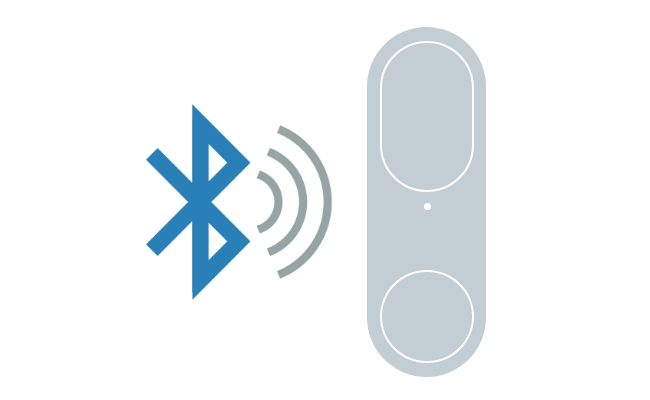
Due to their independence from the Internet, Bluetooth doorbells are becoming increasingly popular. They promise to offer multiple basic features, like push notifications, to enhance a house’s functionality.
However, before you make any purchase, knowing all essential information about it is crucial. So, keep on reading, and the forthcoming content will shed light upon a comprehensive guide about the Bluetooth ring doorbell. Let’s begin.
** Key Takeaways:**
- Bluetooth doorbells work without WiFi.
- Most models connect directly to your smartphone.
- They are easy to install.
- Bluetooth range is usually around 30 feet (10 m).
- WiFi doorbells offer more advanced security features.
How Does a Bluetooth Doorbell Work?
A Bluetooth doorbell connects to your smartphone via Bluetooth, allowing you to receive alerts when someone presses the doorbell. Unlike WiFi doorbells, it doesn't require an internet connection or complicated wiring. As long as your phone is within Bluetooth range, you can manage the doorbell through a compatible app.
Pros and Cons of Bluetooth Doorbell Camera
Pros
- Wireless Connectivity: Connects to your smartphone without requiring network cables.
- Easy Installation: Most Bluetooth doorbells can be installed in just a few simple steps.
- Smartphone Control: You can receive alerts and manage the doorbell directly from your phone.
- Portable Design: The battery-powered design allows flexible placement and easy relocation.
Cons
- Limited Operating Range: Bluetooth connections typically work only within about 30 feet.
How to Install a Bluetooth Doorbell with Chime?
The best part about owning a Bluetooth doorbell is that you do not have to call a professional to set it up. Instead, you can do it in a few simple steps, as shown below.
Step 1: Select the location
Select the place where you want to place the doorbell. Ensure the place selected for the Bluetooth bell Bluetooth single is good and the bell’s noise can be heard clearly.
Step 2: Mount the Bluetooth doorbell
Place it on the wall at a considerable height. The screw will be provided will the doorbell to attach it to the wall securely.
Step 3: Install the chime unit
Now that the doorbell has been placed outside, choose another location inside your house to set up the chime unit. Locate it where the ringing of the doorbell can easily be heard from anywhere in the house. If necessary, plug the Bluetooth doorbell chime into a power outlet. Some good spots are near the main gate, in the hallway, etc.
Step 4: Put the batteries
If the Chime and doorbell require batteries, insert them as per the manual instructions. However, make sure to check the packaging to get compatible batteries.
Step 5: Connect the devices
Switch on the Bluetooth on your mobile. Make use of the manual for the guidance.
Step 6: Test the doorbell
Test the doorbell to see whether it is working effectively. To do this, go outside and push the doorbell button. See whether it rings through the Chime and sends you a notification.
Step 7: Modify the setting
You can modify or change the Bluetooth doorbell chime sound and other things through the accompanying app.
Bluetooth vs. WiFi Doorbells: What’s the Difference?
While Bluetooth and WiFi doorbells seem very familiar at first glance, they have some very significant differences, including the following:
Linkage
A Bluetooth doorbell does not need WiFi to work. It is linked to your phone via Bluetooth and functions within a range of 30 feet. On the other hand, the WiFi doorbell works with an Internet connection, so it can be controlled from anywhere as long as your phone has an Internet connection.
Features
The Bluetooth doorbells have only a few basic features, like push notifications and Chime. At the same time, the WiFi doorbells have an extensive range of advanced features, like motion detection, sensors, touch sensitivity, etc.
Cost and Installation
Bluetooth doorbells are much cheaper upfront than WiFi ones. They also come with a reasonably easy-to-install setup that does not require professional help. On the other hand, the upfront cost of WiFi doorbells is comparatively more, and you might need professional help to set them up.
Reolink has launched a WiFi-enabled video doorbell that boasts a resolution of 2K+ 5MP and incorporates smart features designed to enhance the security of your front door.
Comparison Table
Recommendation: Choose a Bluetooth doorbell if you only need local notifications without WiFi. If you want remote access, video recording, AI detection, and smart home integration, a WiFi video doorbell is the better choice.
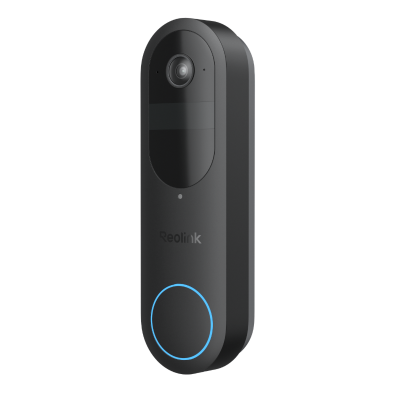
2K Battery Wi-Fi Video Doorbell with Smart Detection
- 2K 4MP Head-to-Toe View
- Person/Vehicle/Animal/Package Detection
- 300-Day Lasting Battery Life
- No Monthly Fees for Local Storage
FAQs
Does a wireless doorbell need Internet?
It refers to the type of doorbell you use. Typically, a Bluetooth doorbell does not require the Internet to function. However, a WiFi doorbell will need an internet connection.
Is the Ring doorbell WiFi or Bluetooth?
A Ring doorbell is based on WiFi. You can access it from anywhere, as far as the doorbell and your phone have an internet connection. However, the Bluetooth doorbell does not require this support; it functions with Bluetooth technology.
Can you get a doorbell that rings on your phone?
The answer is yes; of course, it does. Several doorbells, particularly the WiFi, alert WiFi ones. Once, you are alerted when somebody pushes the doorbell button by sending you a notification on your phone.
Is there a doorbell that doesn't need Wi-Fi?
Yes. A PoE (Power over Ethernet) doorbell doesn't require Wi-Fi because it uses a single Ethernet cable for both power and data transmission, providing a stable and reliable connection. If you're looking for a wired solution with features like 24/7 recording and high-quality video, the Reolink Video Doorbell PoE is a great option.
Is there such a thing as a wireless doorbell?
Yes. Wireless doorbells are widely available and typically use Bluetooth or WiFi to communicate with your smartphone or indoor chime. They are easy to install, require little or no wiring, and are available in both basic doorbell and video doorbell models.
Conclusion
A Bluetooth doorbell effectively increases the security of your home. These cannot only see who is outside, but some models also allow you to have a conversation with the person across the door.
In this article, we have provided you with complete information about how Bluetooth doorbells work, including their installation process and key features. If you have other questions, don’t hesitate to tell us in the comment section below!
Search
Subscribe for the Latest Updates
Security insights & offers right into your inbox