


Reolinkの特典キャンペーン、ニュース、最新情報を見逃さない!
あなたの考えや意見を私たちや他のユーザーと共有してください。あなたの提案で何かを作り出しましょう!
Subscribe to get real-time updates of Reolink.
Choose only show current products
This is a pretty nice device, with two independent 4 MPix cameras in one box. I am using both the powered WiFi and the POE versions and both are performing very well. I have a couple of locations where having a wide field of view continuously displayed has worked out far better than my previous single PTZ cameras. It's also far easier than installing two separate cameras.
I would have given them five stars except for the following small points.
1) The mounting bracket is not nearly as flexible as other Reolink mounts. It's nice that it has 1/4-20 threads to allow either top or bottom mounting, but the bracket offers only two axes of adjustment ... not three. (There is no way to rotate the camera about its long axis so that the image appears level. You have to make sure you install the metal backing plate absolutely perfectly before attaching the plastic bracket.)
2) It would be really nice if Reolink allowed the option of stitching the two images together within the camera and provided a single 5120 x 1440 video feed. This would be more convenient and would allow the device to use only one camera license instead of two on Synology and other third party security recording systems.
役に立つ 16 皆はこれが役に立ったと思った
If you're looking for that wide field of view this is the camera you need. But a few things you should be aware of before you purchase. These arent deal breakers but I didnt know these before hand.
1) The mounting bracket doesnt allow for tilting side to side to level. My house is stucco and I wasnt about to drill into it. You can mount from top to bottom like my picture but youre only adjustment is up and down. You cant do left to right either . I decided to ditch the mounting bracket and use dry wall screws into the plastic and wood so it would be easier to find the best view. Connect your camera and check before permanent mounting.
2) This does not show up as one big image. They show up as two separate 4K images. Im using windows desktop so i can put them side by side. On the app you can view as 4 window and make them side by side.
3) there is a slight fish eye effect between the two in the middle of the combined so keep that in mind also. you may not be able to see everything you want in the middle.
4) any triggered movement will record on that particular camera, not both from I have gathered. I may be wrong but I dont see how it would work since they are separate.
I attached pictures in hopes that it will help. Overall you cant beat the coverage for the price of one camera.
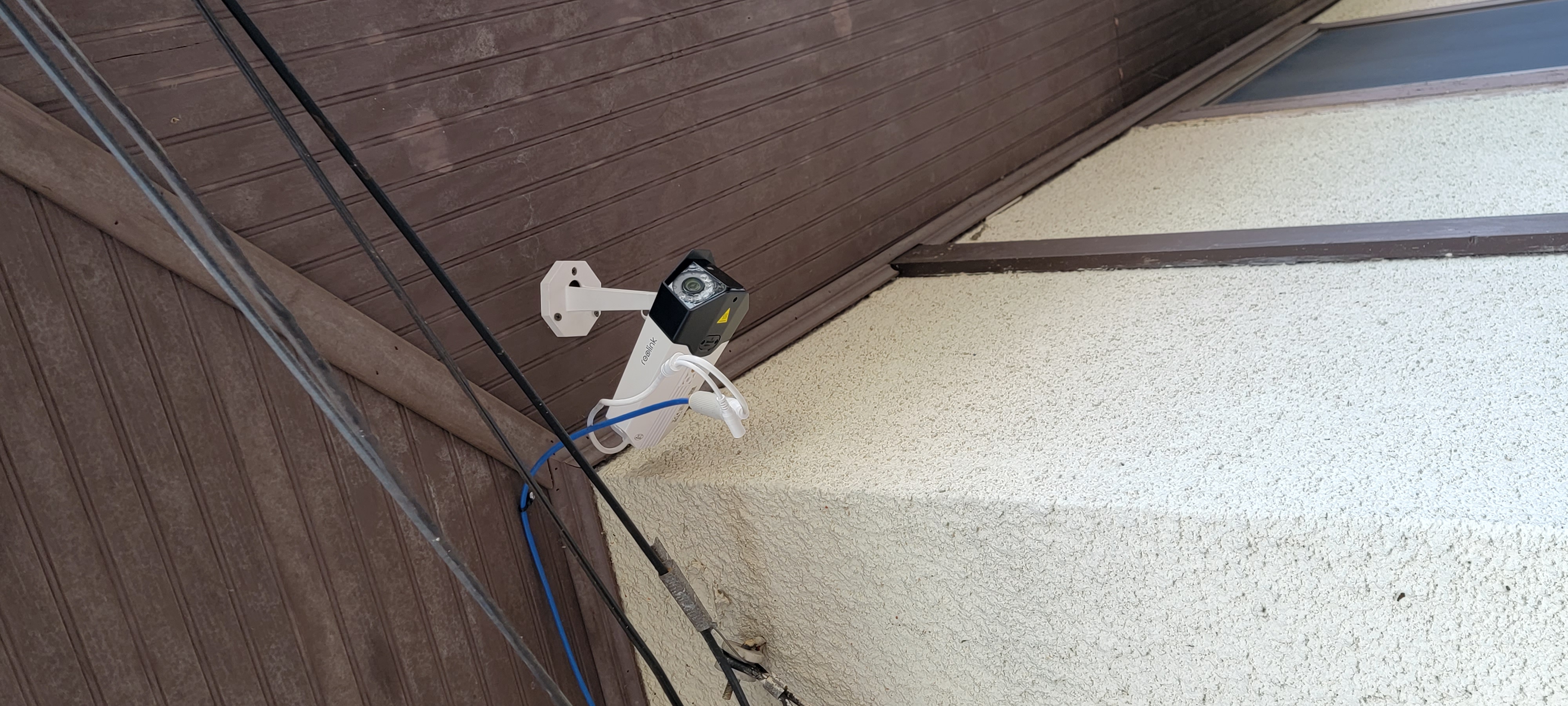
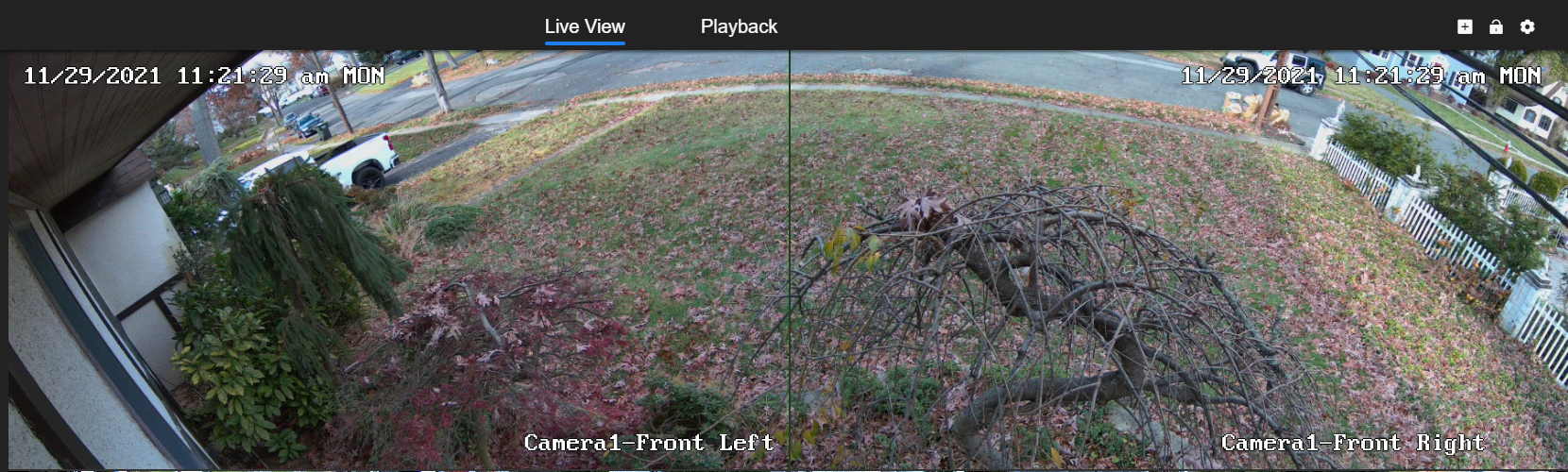
役に立つ 6 皆はこれが役に立ったと思った
At first, I thought it was a gimmick. After installing 2 of them, I am impressed. I use the POE version and record on Synology Surveillance Station. I replaced cameras for the wider field of view, and it's just like installing two cameras next to each other, without the hassle. Also, Synology only requires one license since both cameras us the same IP address. The nite vision is better than most of my other cameras. The motion floodlights and color night video far exceeded my expectations based on my experience with older cameras. I agree with the other reviews that the mouth is kinda cheap, but it worked.
役に立つ 3 皆はこれが役に立ったと思った
Awesome cam for the price, great video quality. Wired it up and Blue Iris had no problem adding it. Works just as well as all my other Reolink Cams on my system. Spotlight color night vision works great on persons/vehicles detection, 2 way audio is a bonus as well! Though I do have 2 minor complaints.
1- The mounting bracket. It's plastic, long, and cannot swivel- only tilt.
2-Siren goes off on pixel-based detection, currently cannot set it up to only go off on persons/vehicle detection. Since I live on a busy road, vehicles passing during night time light up my detection zones and set it off, so I cannot use this function. The spotlights ought to be good enough to alert intruders anyway. It's rather dark where I have this mounted, so they really light the whole parking area up.
For other BI users, this is 2 cams in one, so you need to add both separately with the same IP but different streams. Use Model RLC-410(...) Baseline RTMP
Stream is /bcs/channel0_main.bcs?channel=0&stream=0&user={id}&password={pw}
replace "main" for "sub" when adding substream.
"channel0_" is left cam, replace with "channel1_" for right cam
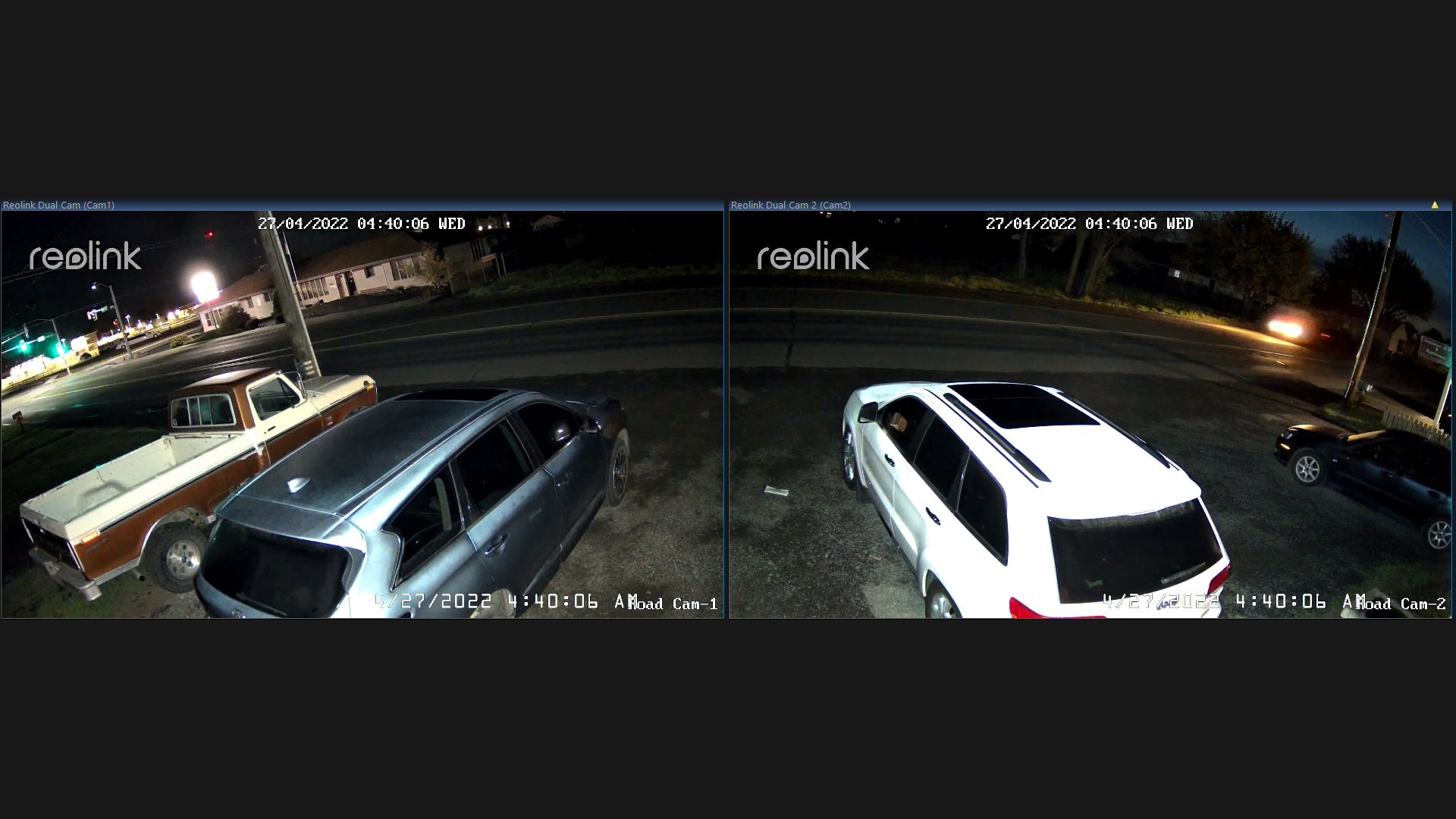
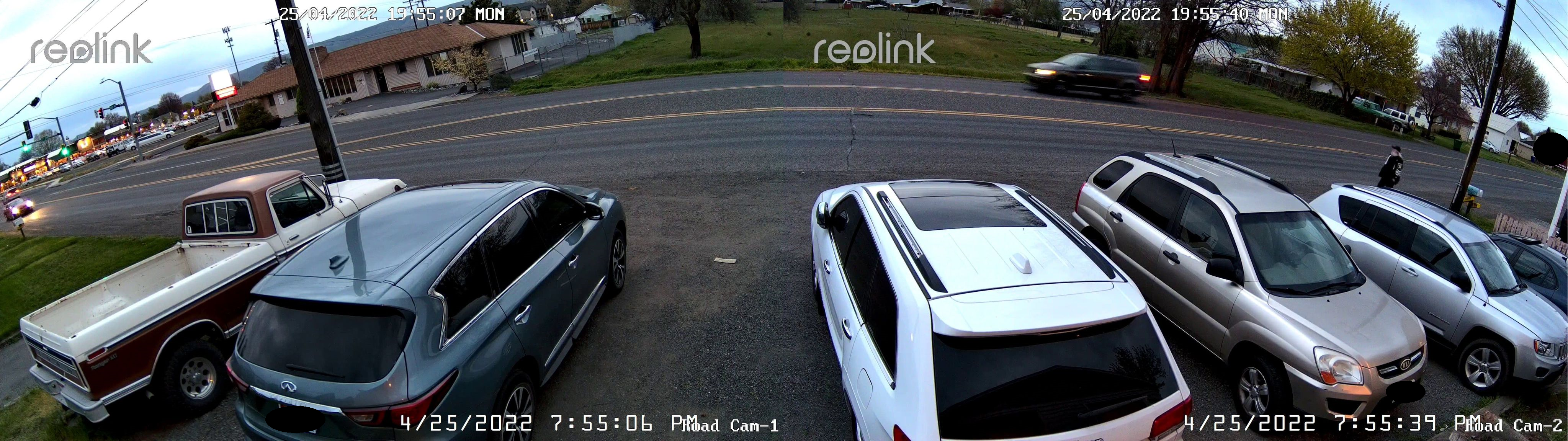
役に立つ 3 皆はこれが役に立ったと思った
Pre-ordered this camera..waited for months to get it, only to find out, it will not work with my NVR even though its only 2 years old..so now I have a useless camera I can not use...that should be information they should share with you before you purchase
役に立つ 1 人はこれが役に立ったと思った
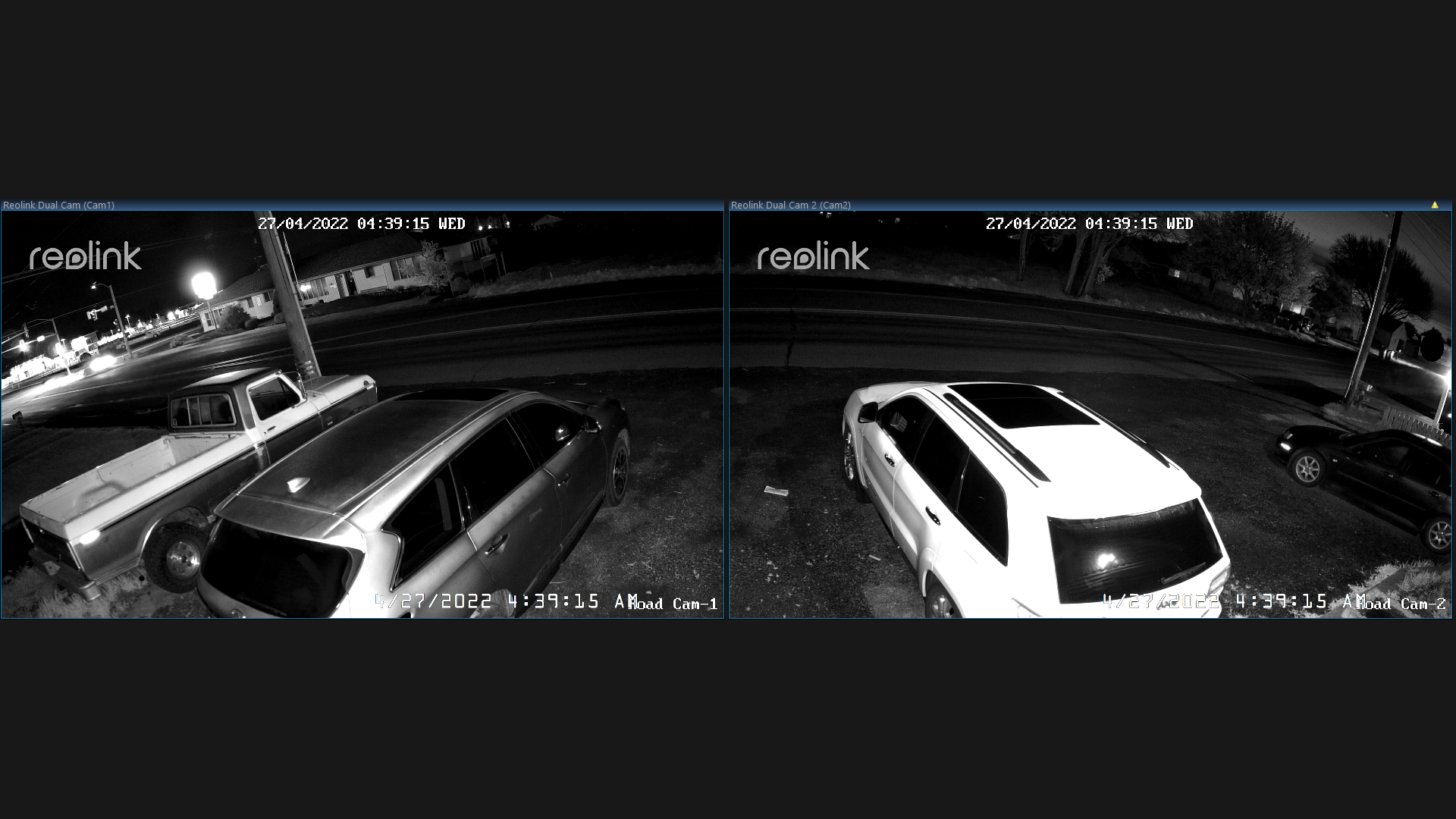
The dual cameras in one case give me a great wide view. Was easy to setup and it is easy to use. A couple months after getting this camera, it was perfectly positioned to capture a drive by shooting across from my house. Nobody injured as far as I know. The video is a screen capture of the duo side-by-side.
役に立つ 1 人はこれが役に立ったと思った
Not good should give you a cable to program camera with
役に立つ
My camera images don't match up. Both with size and with color. Can not get them to sync up with the display settings, causing these images to look separate and pointless.
役に立つ
Brilliant camera for the viewing angle as replaced a single poe camera connected to a nvr. On the app brilliant but on the nvr not as good as all it says needed 2 channels free however I can only record one camera so relying on memory card.
Having done some investigating the nvr box is not compatible and considering its only 4ish years old that is poor as it needs a firmware update but there are no updates available for the older boxes which I assume the reason only one camera records as the firmware probably has setting for duo camera.
役に立つ

Google、Google Play、Googleアシスタント、および関連するマークとロゴは、Google LLCの商標です。
Amazon、Alexa、および関連するすべてのロゴは、Amazon.com, Inc.またはその関連会社の商標です。
MacとSafariは、Apple Inc.の商標です。
App Storeは、米国およびその他の国で登録されたApple Inc.のサービスマークです。
Firefoxの商標およびロゴは、Mozilla Foundationの米国およびその他の国における商標です。
その他、本サイトに記載されている会社名、商品名は、各社の商標または登録商標です。