
PoE vs WiFi Camera Buying Guide: Which One is Better?
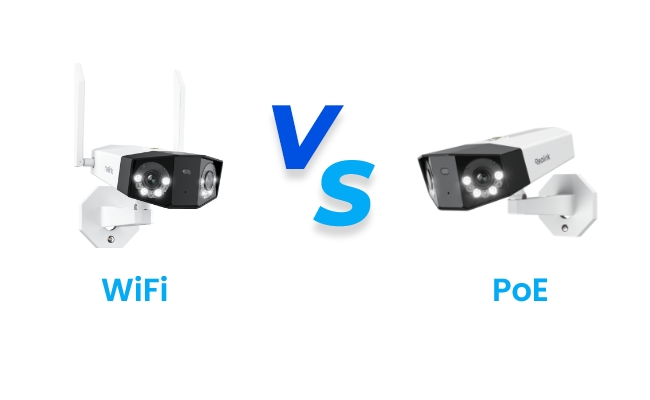
The main difference between a PoE security camera and a WiFi camera is how each one gets power and sends video. PoE runs both through one Ethernet cable. WiFi splits the two apart by using a battery or outlet for power and your wireless network for the feed.
This comprehensive guide is designed to provide you with the best clarity between the two types of security cameras. We'll compare between PoE and WiFi security cameras in detail on the following factors:
- Connectivity
- Power
- Recording
- Bandwidth
- Weather reliability
- Cost
- Security
- PoE Cameras vs WiFi Security Cameras: The Basics
- PoE vs WiFi Security Camera: Main Differences
- Which Security Camera Records Longer Without a Gap?
- WiFi vs. PoE Camera: Comparison Table
- PoE vs WiFi Security Camera: Which One Should You Choose?
- Best Reolink PoE and WiFi Camera Recommendations
- FAQs
- Conclusion
PoE Cameras vs WiFi Security Cameras: The Basics
What Is a PoE Security Camera?

A PoE camera is a wired IP camera that gets both power and a data connection from a single Ethernet cable, run from a network switch or PoE injector. Every PoE camera is a type of IP camera, but not every IP camera supports PoE. Some connect over WiFi instead There's no separate power cord and no outlet needed at the camera itself, just one cable back to your network.
What Is a WiFi Security Camera?

A WiFi camera connects to your existing wireless network instead of a cable, and gets power from either a rechargeable battery or a nearby outlet. The ability to run without a cable is what lets you mount one almost anywhere your router's signal reaches.
PoE vs WiFi Security Camera: Main Differences
Both types record footage and send it to your phone or an NVR. Here's where they actually pull apart.
Which Security Camera Is Easier to Install?
WiFi wins on install ease as most WiFi cameras are plug-and-play. You simply mount it, connect it to your network in the app, and you're recording within minutes. No tools required.
A PoE camera needs a compatible switch or injector and a cable run to each camera location, which takes longer and can mean opening walls or hiring an electrician in a finished space.
That gap narrows if you're already mid-renovation or building a new space, since running Ethernet during construction costs little extra over running it later. For a home that's already built, WiFi's same-day setup is the more realistic starting point for most people.
Verdict: Go for a WiFi camera if you want a same-day DIY install with no tools. Go for PoE if you're already opening walls for a remodel or new build.
Is Wired or Wireless Connection More Reliable?
PoE wins here. A wired connection doesn't compete for bandwidth with your other devices and doesn't degrade from walls, distance, or a neighbor's WiFi. A WiFi camera depends on a clean signal reaching that exact spot, which a garage, basement, or property-line camera doesn't always get.
Running Ethernet to a shed, gate, or detached garage sidesteps WiFi dead zones entirely. A mesh WiFi extender helps close weak spots, but it's an added cost and one more device that can fail.
Learn More: Reolink's wired vs. wireless camera guide covers this same trade-off in more depth.
Verdict: PoE wins for any spot with a spotty signal or heavy device traffic nearby. WiFi is fine anywhere your signal already tests strong.
How Do PoE and WiFi Security Cameras Get Their Power?
PoE cameras draw power over the same cable that carries their video, using either the 802.3af or 802.3at (PoE+) standard. A basic PoE camera runs fine on the older 802.3af standard. Some cameras with power-hungry features, like an extra-bright spotlight or a larger pan-tilt motor, may need the newer PoE+ standard to run everything at once, though this depends on the specific model rather than a fixed rule. Check the camera's own power spec, and your switch's spec sheet for PoE+ support, before buying a power-hungry camera.
Learn More: This standards breakdown covers the difference in plain terms if you want more detail.
WiFi cameras skip this question entirely. They're either battery-powered or plugged into a standard outlet, so there's no wattage math. You either need to plug in a pair of batteries to run and recharge, or a cord to run.
Verdict: PoE covers even power-hungry cameras cleanly once your switch supports PoE+. WiFi is simpler on paper, but a battery model trades that simplicity for regular recharging.
Which Security Camera Records Longer Without a Gap?
PoE wins outright for continuous recording. Since power and network are both always-on, a PoE camera can record 24/7 and store footage locally on an NVR or upload it, with no charge cycle to plan around.
Battery WiFi cameras record in short bursts triggered by motion, to stretch battery life. Full 24/7 recording on a WiFi camera usually needs a wired power option instead of a battery. Now, that's a real trade-off, not a flaw. Newer wireless protocols like WiFi 6 help battery cameras stream faster once they do wake up, but they don't extend the battery itself.
Verdict: Get a PoE camera if you need true 24/7 coverage with zero gaps. Otherwise, a battery WiFi camera is fine if motion-triggered clips are enough for your case.
Which Security Camera Uses Less Network Bandwidth?
WiFi cameras are generally lighter on bandwidth, since most rely on motion-triggered recording instead of a constant stream, and modern WiFi 6 models compress that stream efficiently. A PoE camera streaming 4K around the clock uses meaningfully more bandwidth, but a wired network almost always has spare capacity to absorb it, which is exactly why PoE setups don't struggle here in practice.
Verdict: WiFi is lighter on bandwidth by design. PoE uses more, but rarely enough to matter on a wired network built for it.
Which Security Camera Holds Up Better in Bad Weather or a Crowded Network?
PoE cameras hold up better in both cases. A wired connection doesn't degrade from rain, humidity, or RF interference the way a wireless signal can, and it doesn't compete with your other devices for airtime. A WiFi camera on a crowded 2.4GHz band, next to a microwave or a dozen smart home devices, can see real slowdowns or dropped frames.
Verdict: PoE cameras work better in the middle of a crowded network or a harsh outdoor spot. WiFi 6 models will handle interference far better than older WiFi 5 cameras, but still can't fully match a wired connection.
Which Security Camera Costs Less Overall?
WiFi cameras usually cost less to buy upfront. However, PoE cameras often cost less over time because WiFi systems may require additional expenses such as replacement batteries, mesh WiFi extenders to improve coverage, or in some camera manufacturers' case, cloud storage subscriptions.
For a small 2-4 camera home, WiFi is almost always the cheaper starting point. For a larger property or a business running 8 or more cameras, one NVR and switch covering the whole system often brings PoE's cost per camera in line with, or below WiFi over time. This is especially true if a WiFi setup would otherwise need a monthly cloud plan.
Verdict: Get WiFi cameras for a small, budget-conscious install. Go for PoE cameras if you're covering many cameras and want to avoid recurring costs down the line.
Is a PoE or WiFi Security Camera Harder to Hack or Jam?
A wired PoE connection can't be jammed, since there's no wireless signal to block in the first place. A WiFi camera depends entirely on that signal reaching your router, and that dependency is now a documented burglary tactic.
Police departments in several U.S. cities, including Glendale, California, have warned residents about burglars using cheap radio-frequency jammers, some costing as little as $40, to knock WiFi-connected cameras and alarms offline before breaking in, as reported by ABC7 Los Angeles and PCWorld. Moneywise reported a case where thieves used exactly this method to clear $25,000 from a Los Angeles home, with similar cases showing up in Colorado, Arizona, and Minnesota. Wireless jammers are illegal under FCC rules, but that hasn't stopped the tactic, including a separate Minnesota case reported by Cybernews.
This doesn't mean a WiFi camera is unsafe to run day to day. It just means a hardwired PoE camera has a real structural advantage at exactly the moment it matters most, since there's no signal for a jammer to reach.
Verdict: PoE cameras are more secure for anywhere a break-in would be costly, like a front entrance or garage. WiFi cameras with strong encryption is still a reasonable choice for lower-risk spots like a backyard or hallway.
WiFi vs. PoE Camera: Comparison Table
PoE vs WiFi Security Camera: Which One Should You Choose?
The right choice depends on your specific setup and needs, not on which type is "better" in the abstract, and the calculus shifts a bit between a home and a business.
For a home:
For a business:
Common buyer regret: if you're in the midst of a renovation or building new, it's worth running an extra Ethernet drop or two even to spots you don't need covered yet, like a shed, a side gate, or a future driveway camera. Buyers who go WiFi-only just to save a step during construction are often the same ones opening drywall again a year later to add the wired camera they wish they'd planned for the first time.
Best Reolink PoE and WiFi Camera Recommendations
Dual-Lens PTZ PoE Camera: Reolink TrackMix PoE
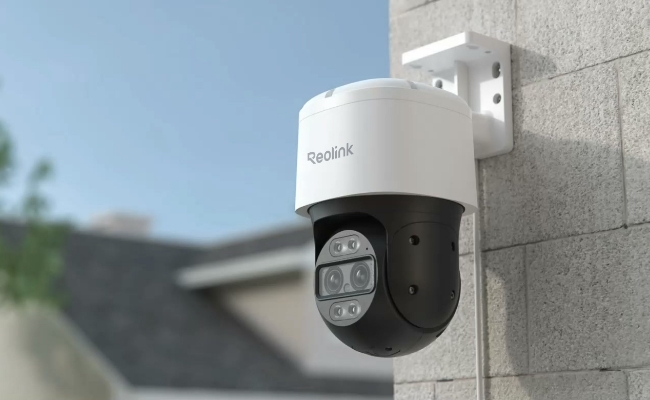
The Reolink TrackMix PoE delivers 4K quality through an 8MP ultra HD system. Its dual-lens setup pairs a wide-angle lens with a dedicated telephoto lens, using a 6x hybrid zoom to magnify distant targets like faces or license plates without the pixelation of digital-only cropping.
It's built with an IP65 weatherproof housing and runs on a stable wired connection, suited to long driveways, deep backyards, or extended perimeters.
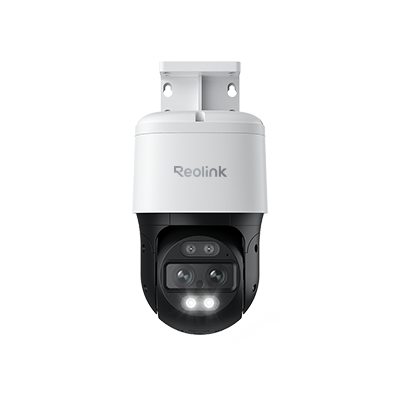
4K Dual-Lens PTZ Camera with Dual Tracking
4K 8MP Ultra HD, Wide & Telephoto Lenses, Pan & Tilt, Auto-Tracking, Person/Vehicle Detection, Power over Ethernet, Two-Way Audio.
Panoramic PTZ PoE Camera: Reolink OMVI 3i PoE
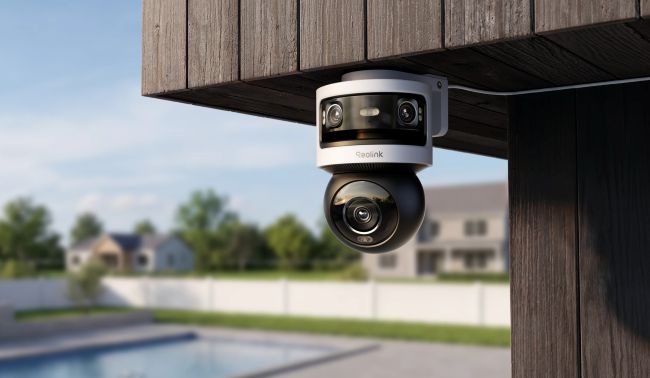
The Reolink OMVI 3i PoE is a triple-lens panoramic PTZ camera with 18MP of combined resolution (a 10MP fixed panoramic lens and an 8MP pan-tilt lens). A fixed 180-degree panoramic lens keeps the whole scene in view while the second lens pans and tilts to automatically follow moving targets, solving the blind-spot problem standard pan-tilt cameras have.
Running on Ethernet, it handles the bandwidth for continuous 24/7 recording with no wireless lag, making it a strong fit for full perimeter coverage.
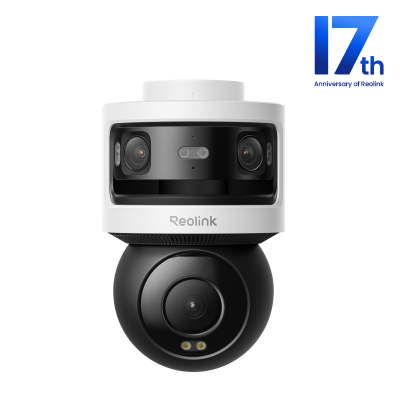
All-in-one Triple-Lens 180° Panoramic Pan-Tilt Security Camera
10MP Dual-Lens 180° View, 4K 360° Full Coverage, SyncTrack with auto framing & auto tracking, Local Storage (No Monthly Fees), Local AI Video Search.
Solar WiFi Camera: Reolink Solar Floodlight Cam
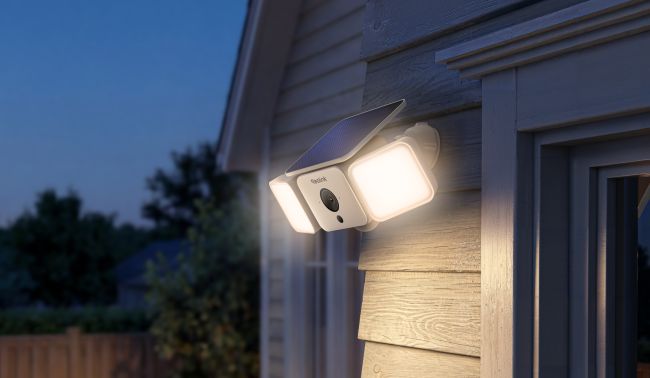
The Reolink Solar Floodlight Cam is a battery-powered WiFi camera with a built-in floodlight. This 2K 4MP camera covers a 150-degree ultra-wide field of view, powered by Reolink's SolarEase technology at up to 26% photoelectric conversion efficiency. The 1000-lumen floodlight adjusts from 3000K to 6000K color temperature.
Did You Know: The Reolink Solar Floodlight Cam won the Golden A' Design Award in 2026 in the Security, Safety and Surveillance Products Design category, recognized for combining AI detection, solar power, and animal-friendly lighting into one outdoor camera.
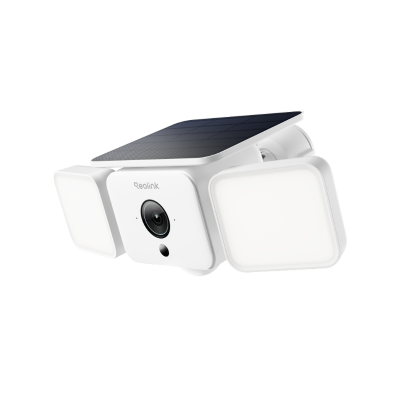
Smart 2K Solar Floodlight Security Camera
150° Ultra-Wide View, 2K 4MP HD Resolution, AI-Based Adaptive Floodlight, Endless Power with Reolink SolarEase™.
Floodlight WiFi Camera: Reolink Elite Floodlight WiFi
The Reolink Elite Floodlight WiFi is a hardwired floodlight camera with a 4K 180-degree ultra-wide view and 3000-lumen dimmable lighting. Local AI video search and local storage mean no monthly fees, and dual-band WiFi 6 keeps the connection fast and stable, exactly the kind of AC-powered, WiFi-data setup that fits the "WiFi camera" category in this guide.
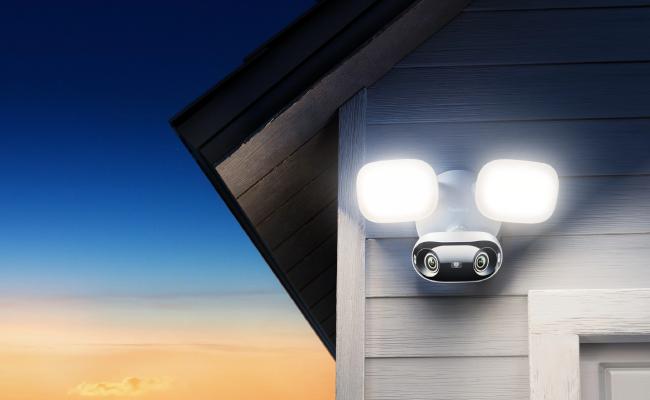
Did You Know: The Reolink Elite Floodlight WiFi is a Silver Winner at the Better Future Awards, recognized for pairing AI-powered person, vehicle, and animal detection with motion-triggered floodlight activation that cuts energy use and light pollution.
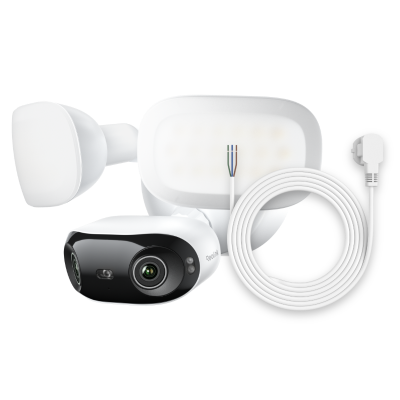
4K 180° Ultra-Wide Wired Floodlight Security Camera
3000-Lumen Dimmable Lighting, Adjustable Color Temperature, Local AI Video Search, Local Storage, Dual-Band Wi-Fi 6.
4K WiFi Floodlight Camera: Reolink Altas PT Ultra
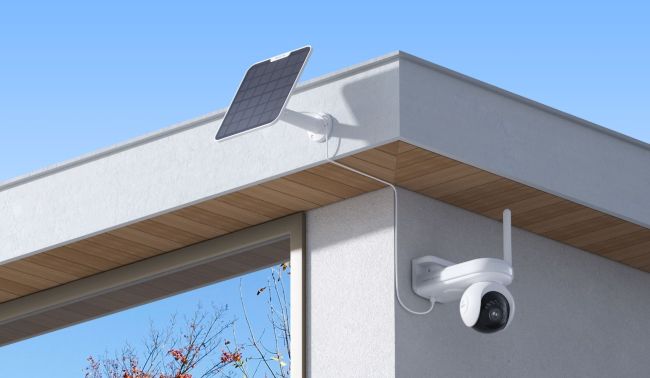
The Reolink Altas PT Ultra is a 4K 360-degree pan-and-tilt battery camera with up to 10 seconds of pre-recording, so it captures the moments right before motion is detected. Its battery and solar panel support keep it running with minimal upkeep, and 4K ColorX night vision delivers full-color footage in low light, though it's worth noting this model has no traditional infrared night vision and relies on ColorX and its spotlight instead.
Did You Know: The Reolink Altas PT Ultra picked up three international design awards in 2025 alone, a Silver Winner at the Berlin Design Awards, a Gold Winner at the NY Product Design Awards, and a Gold Winner at the London Design Awards.
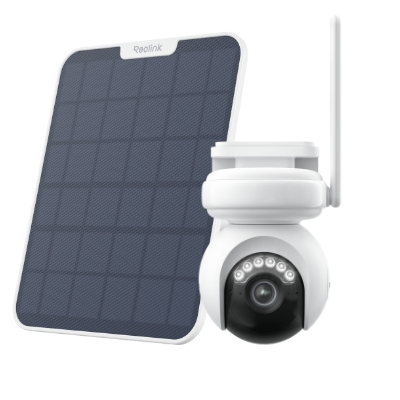
4K Battery-Powered PTZ Camera with Continuous Recording
👍 4K UHD video with continuous recording
👍 ColorX night vision in low light
👍 Pan, tilt, and automatic person tracking
👍 Local storage without monthly fees
PoE Security Camera System: RLK16-800B8
The RLK16-800B8 is a 4K PoE security camera system built for 24/7 protection of homes and businesses. Powered over Ethernet for stable performance, it includes a 16-channel NVR with a built-in 4TB hard drive, and person, vehicle, and animal detection to cut down on false alerts.
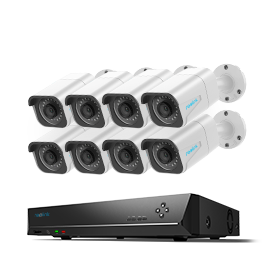
24/7 Surveillance in 4K Ultra HD
Power over Ethernet; 24/7 Continuous Recording; 16-Channel NVR; 4TB HDD Built-In; Audio Recording; 100ft Night Vision.
FAQs
What does PoE mean in security cameras?
PoE stands for Power over Ethernet. It's a standard that sends electrical power and a data connection down the same Ethernet cable, so a PoE security camera only needs one cable run back to a switch or injector, not a separate power cord or nearby outlet.
Can I use PoE and WiFi cameras together in the same system?
Yes. Most Reolink NVRs and the Home Hub support a mix of PoE and WiFi cameras on one system, so you can run PoE to permanent, high-priority spots and add WiFi cameras anywhere cabling isn't practical, all viewed from the same app.
What is the disadvantage of a PoE camera?
The main disadvantages are a higher initial price, a roughly 100-meter Ethernet cable limit, and installation complexity in running long cables to certain spots. Repositioning a wired PoE camera later also isn't as simple as moving a WiFi model.
Do PoE or WiFi cameras require a subscription?
Neither has to. Most Reolink PoE and WiFi cameras support local storage through an NVR, Home Hub, or microSD card with no monthly fee. Cloud storage is available as an option on select models if you want off-site backup.
Are PoE or WiFi cameras more worth it for a small business setup?
It depends on the size of the setup. PoE cameras are more worth it once you're running enough cameras that reliability matters more than shaving upfront cost, since one NVR and switch can centralize power and recording for continuous, evidence-grade footage. WiFi cameras are the better fit for a single storefront or a short-term lease with just a camera or two, where getting covered fast and cheap matters more than a wired system's long-term payoff.
Is a PoE or WiFi camera better for a video doorbell?
Most video doorbells run on WiFi since they replace an existing wired doorbell button and don't have a practical Ethernet path to the front door. A PoE video doorbell is worth it if you're already running Ethernet during a build and want the same jam-resistance as your other PoE cameras.
Conclusion
PoE and WiFi cameras both get the job done, so the real question isn't which one's better. It's which one fits where you're putting it.
Run the PoE camera for anywhere a gap in the footage would cost you, a front entrance, a garage, or a business floor, since a wired feed can't be jammed and never sits waiting on a recharge.
Go wireless anywhere flexibility matters more than airtight uptime, a patio, a hallway, a spot you already know you'll want to move later.
Ready to see which one fits your property? Browse Reolink's PoE and WiFi security cameras, or put your top picks head-to-head on our camera comparison page to land on the right match faster.
Search
Subscribe for the Latest Updates
Security insights & offers right into your inbox